What is a workflow?
A workflow is a list of steps GoRunner does for you, in order, each time something happens.
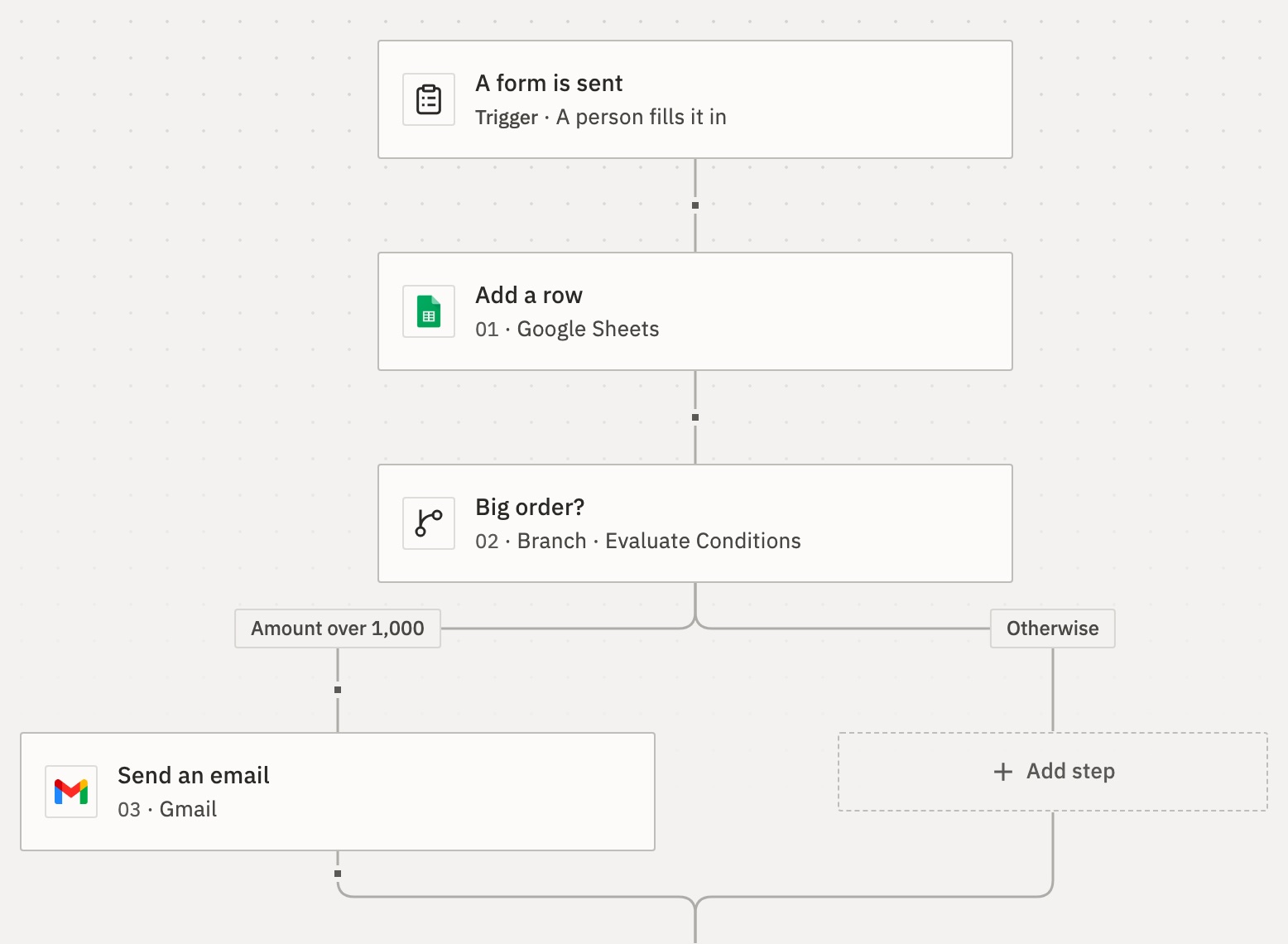
The number is the step’s place in the order.
The trigger: what starts it
Every workflow starts with one trigger, such as:
- someone sends a form (Form);
- a set time comes round (Schedule);
- an email arrives (Gmail);
- another app sends data to the workflow’s address (Webhook);
- you start it by hand (Manual).
Steps: what it does
Each step does one thing, usually in an app: add a row in Google Sheets, or send an email in Gmail. Steps run in order, from the top.
A step can use what came before it, such as the email address someone typed into the form. You write that as an expression: {{trigger.body.email}}.
Some steps choose the path. Branch takes one path or another, by a condition. Loop repeats steps for each item in a list.
Draft, test and publish
What you edit is the draft. Press Test to run the draft once and see what each step did.
Press Publish to make the workflow Live. From then on, its trigger starts it. Later changes stay in the draft until you publish again. Each publish is saved as a version you can go back to.
So a workflow is Draft (never published), Live, or Paused (unpublished).
Runs: each time it happens
Each time a workflow starts, that is a run. When a step fails, the run stops there:
Runs lists every run with its state, such as Worked or Failed. See Runs.
When a step fails
By default, the run stops there and is Failed. You can change that for each step, under Error handling › On error:
- Stop the run, the default;
- Continue with the next step;
- Run error steps: take a path of their own, for example to email you.
Can a workflow run another workflow?
Yes. A Sub-flow step runs another workflow and waits for its result. The other workflow starts with the trigger When Called by Another Workflow.
How many runs can happen at once?
As many as your account allows, unless you set a Concurrency limit in the workflow’s Settings. At the limit, new runs Wait in line, or Refuse turns them away. Tests from the editor never wait.
For developers
Over the API, a workflow is a tree in JSON: the trigger, then each step’s nextAction. A step’s settings live in config, including config.onError. See Workflow definition.
Related
- Build your first workflowA form that adds each answer to a Google Sheet · 10 min
- Choose a triggerWhich trigger fits which job · 3 min
- Use data from earlier stepsPut a form answer into an email · 5 min
Checked against 12d85b3b