Organize workflows
Keep many workflows in order with folders and tags, and copy, export or delete them.
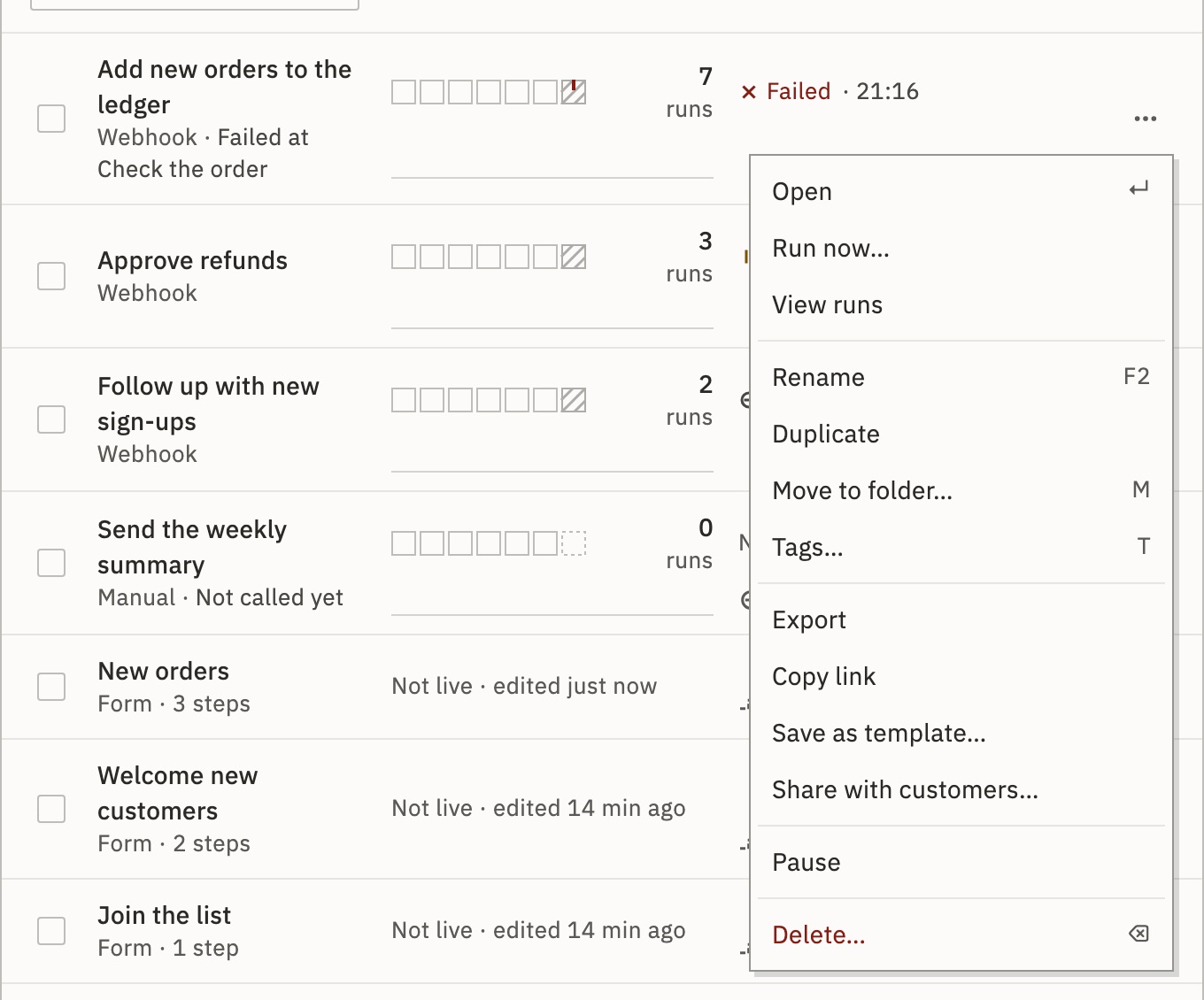
All of this happens in Workflows, from each row’s menu (⋯, or right-click the row).
Folders
- Press the arrow beside New workflow and choose New folder.
- Name it, such as
Finance. - Drag workflows onto it, or choose Move to folder… in a row’s menu.
The folders then sit beside the list. A folder can hold folders: choose New folder inside in its menu, which also has Rename… and Move…. Inside a folder, New workflow here and Import put the new workflows there. Deleting a folder moves what it holds up a level. No workflow is deleted or stopped.
Tags
Choose Tags… in a row’s menu, type a tag, press Enter and Apply. Tags are shared across the workspace: up to 50 on a workflow, 50 characters each. Pick one under Tag to see only its workflows.
Find a workflow
Search reads names, descriptions, tags and the apps a workflow uses. The chips above the list show All, Live, Failing, Quiet, Needs setup, Drafts or Paused. A live workflow is failing when its latest finished production run failed. Sort puts Needs a look first, or sorts by last edit, last run, runs this week, next run or name.
The row’s menu
- Run now…, View runs
- Run the published version now, or see the workflow’s runs.
- Pause, Go live
- Pause unpublishes it. Go live publishes the current draft. See Unpublish.
- Rename
- Up to 255 characters. Or press F2 on the row.
- Duplicate
- Makes a copy as a draft. Sensitive variables aren’t copied.
- Copy link
- Copies the workflow’s address.
- Export
- Downloads the workflow as one
.jsonfile. Import it here or in another workspace. - Delete…
- Asks first, then deletes the workflow with its runs, their data, its versions and any held run.
Warning You can undo a delete for 30 seconds. After that, the workflow and its runs can’t be brought back.
Many at once
Press Select and tick the rows, or Select all. Then Go live, Pause, Move…, Tags…, Export or Delete all of them. Up to 200 at a time.
Check it worked
The workflow sits in its folder, and picking its tag under Tag lists it.
For developers
Create a folder, Set a workflow’s tags, Duplicate a workflow, Export a workflow and Change many workflows at once do the same over the API.
Related
- Import from n8n or ActivepiecesA .json from n8n, Activepieces or GoRunner · 4 min
- Use and save templatesStart from a template, or save one · 4 min
- Keyboard shortcutsEvery key on the Workflows list
Checked against 12d85b3b