The Platform console
The installation’s own console: every organization and person on it, its health, and its settings.
This page is for self-hosted installations. On GoRunner Cloud, GoRunner runs this for you.
Platform admins open it from the menu at the bottom of the sidebar: Platform. It opens only for a session signed in with two-factor. The first admin is made at the first sign-in.
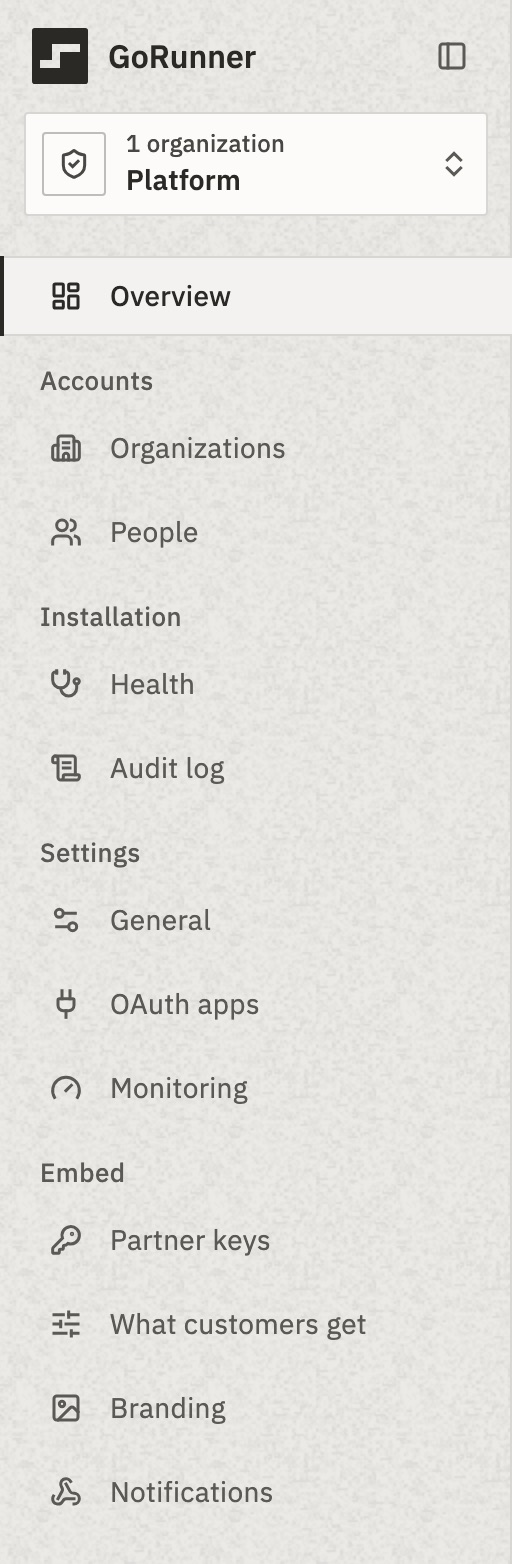
- Overview
- What needs you, and how the installation is doing.
- Organizations, People
- Every account, its health and its limits
- Audit log
- Who did what, installation-wide
- General
- The license, and limits for every account
- OAuth apps
- Google sign-in for connections
- Monitoring
- Your monitoring tools
- Embed pages
- Embed, with a license that includes it
Overview
A new installation shows Get started: add a license, invite a second platform admin, turn on two-factor. Once runs arrive, Overview shows:
- Needs you
- Organizations failing, stuck, at a limit or behind in the queue, and license warnings, each with Visit or Open.
- The installation
- Production runs, Worked, Active people and New accounts, against the period before, and Runs a day.
- Three panels
- Biggest changes week on week, New organizations in 14 days, and Admin activity.
Limits for every account
On General, under the License card. Each is a whole number, or empty for no limit; an organization’s own record can set its own.
- Organizations a person may own
- Being invited into organizations is never limited.
- Workspaces per organization
- Workspaces already there stay.
- Runs at once per organization
- More than this wait in line and start in order.
Two-factor codes
Every change in the console, Settings included, asks for your two-factor code and lands in the audit log. History, at the top of each settings page, shows that page’s changes.
- One code, 10 minutes
- One code covers your changes for the next 10 minutes. The dialog sends it once the sixth digit is typed.
- A code works once
- A code just used is refused: “This code was just used. Wait for the next code, then enter it.”
- The license is the exception
- Loading a license on a new or paused installation asks for none. Replacing the license in force does.
- Send test asks for none
- It changes nothing.
Why can some admins only read?
A platform admin may be given a pool of organizations rather than the whole installation. They see their pool, but can’t open Health, change settings, load a license, or suspend an organization. Those take an instance-wide platform admin.
Can I use it on a phone?
To read, yes. Settings change on a wider screen: “Change settings on a wider screen.”
Related
- Organizations and peopleFind, limit, suspend and restore · 5 min
- Visit an organizationSee its work as its people do · 3 min
- Your licenseThe License card on General · 4 min
Checked against 12d85b3b