Organizations and people
Find any organization or person on the installation, and act on it.
This page is for self-hosted installations. On GoRunner Cloud, GoRunner runs this for you. See Invite people and set roles.
Both are in Platform, under Accounts. A change here asks for your two-factor code and is recorded in the audit log.
Find an organization
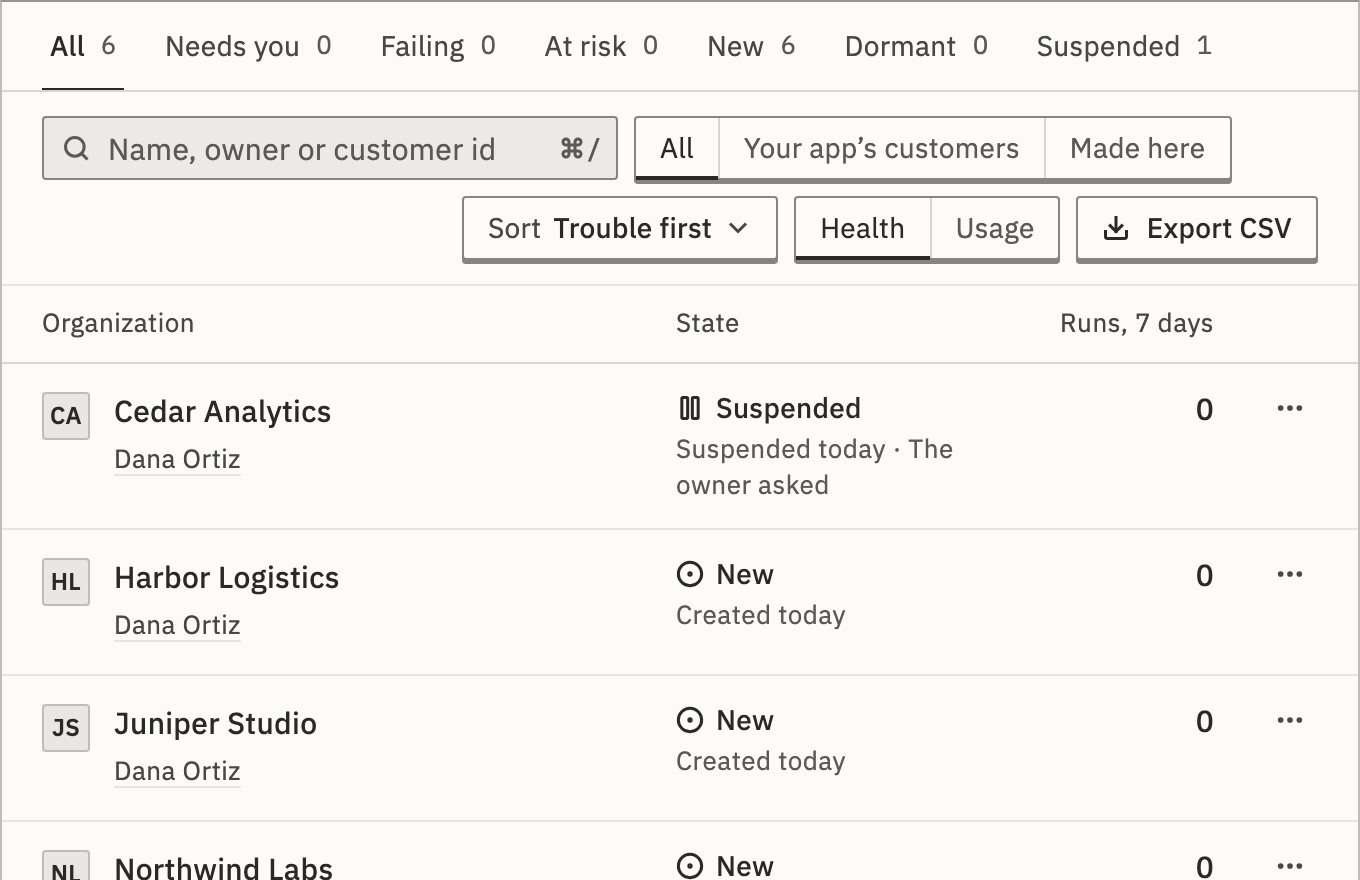
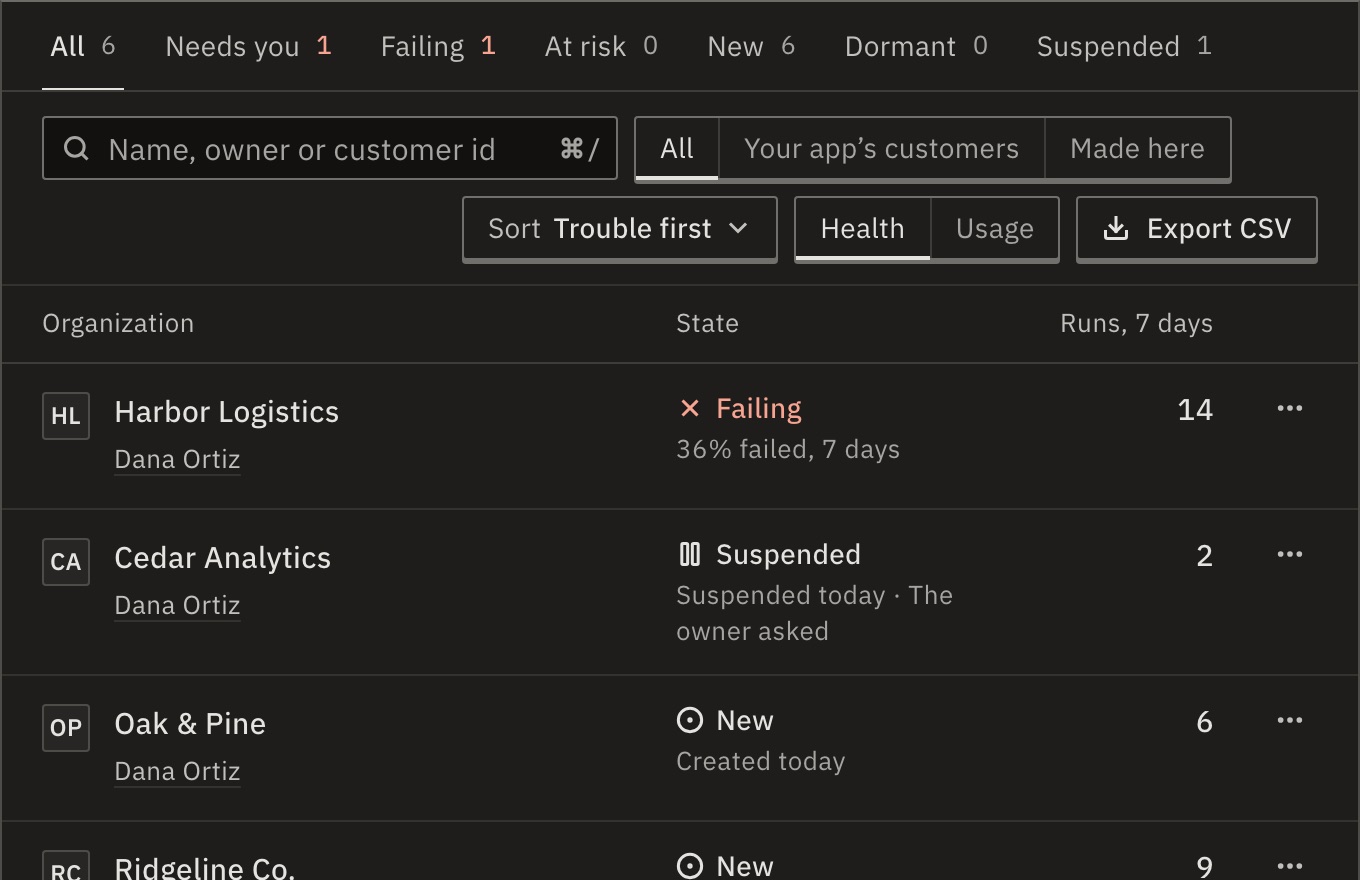
Organizations lists every organization, trouble first. The tabs are All, Needs you, Failing, At risk, New, Dormant, Suspended and Deleted. The search takes a name, an owner or a workspace; Sort orders the list. With Embed, All, Your app’s customers and Made here split it.
- Failing, At risk, Stuck
- Runs are failing, close to failing, or not starting. The row says why. Needs you shows all three.
- New
- Created in the last days.
- Dormant
- No production run, and nobody signed in, for a while.
- Suspended, Deleted
- Stopped by an admin, or deleted and still restorable.
Select a row to open its sheet, or Full page for its record: runs over time, where it fails, limits, people, workspaces and recent changes. Usage shows each organization’s runs, failures and Keel tokens over a period you choose; Export CSV downloads the list.
Change its limits
- On the record, under Limits, press Change… next to Workspaces or Runs at once.
- Choose Every account’s limit, No limit or Its own limit, a whole number from 1 to 1,000,000.
- Press Save. It applies at once.
Below its use, nothing is taken away: its workspaces stay, and running runs finish. New ones wait.
Suspend or resume
- In the row’s menu or on the record, choose Suspend….
- Choose a Reason and, for Other, say why in a few words. Press Suspend.
Its workflows stop: schedules and polls skip, webhooks and forms are refused. Its people can still sign in and see their work. Resume… runs them again from now; nothing that arrived meanwhile is replayed.
Can I bring back a deleted organization?
Until the date its row shows, choose Restore…. Its workspaces, workflows and history come back as they were, with its workflows off until its people turn them on. It is refused if the license’s organizations are all in use.
People
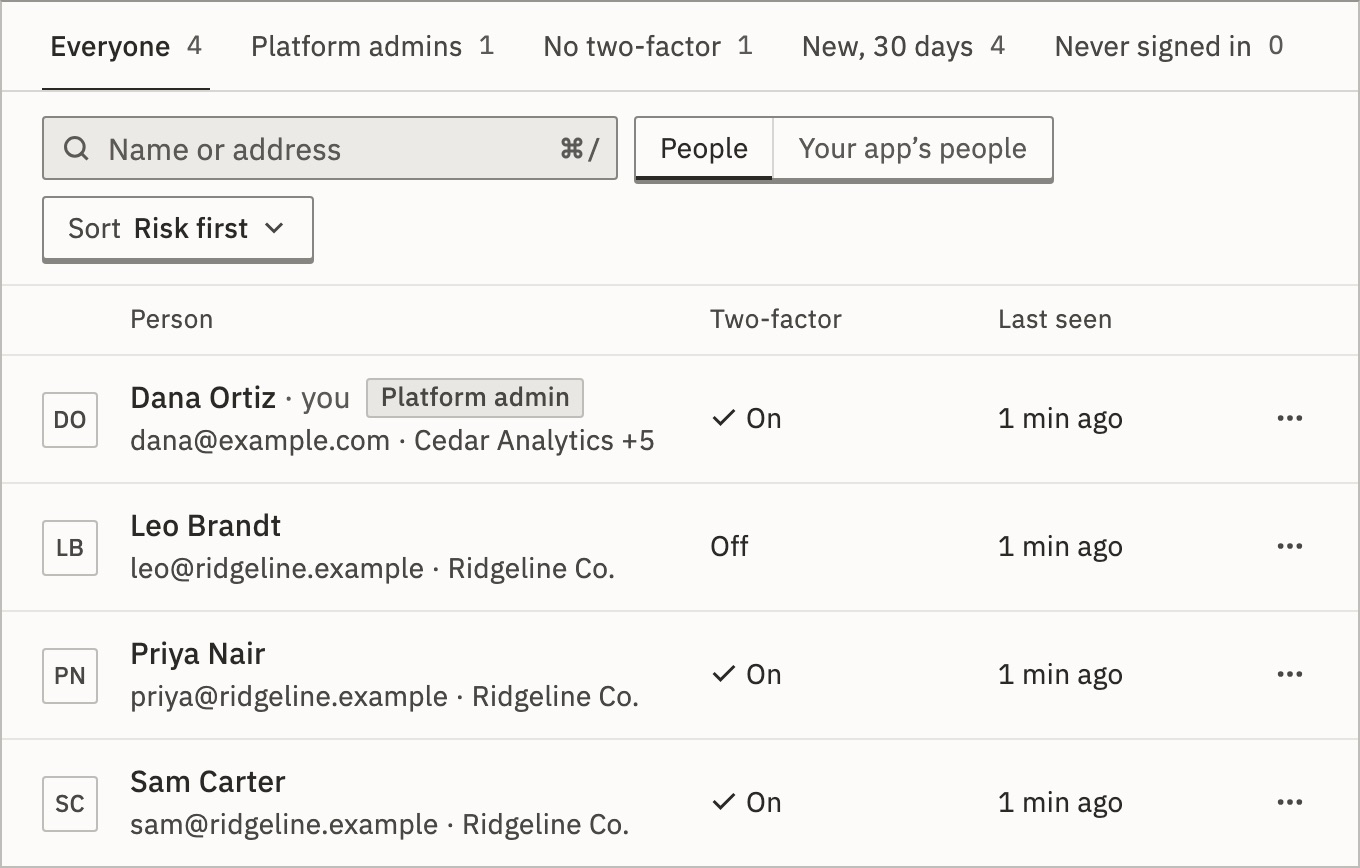
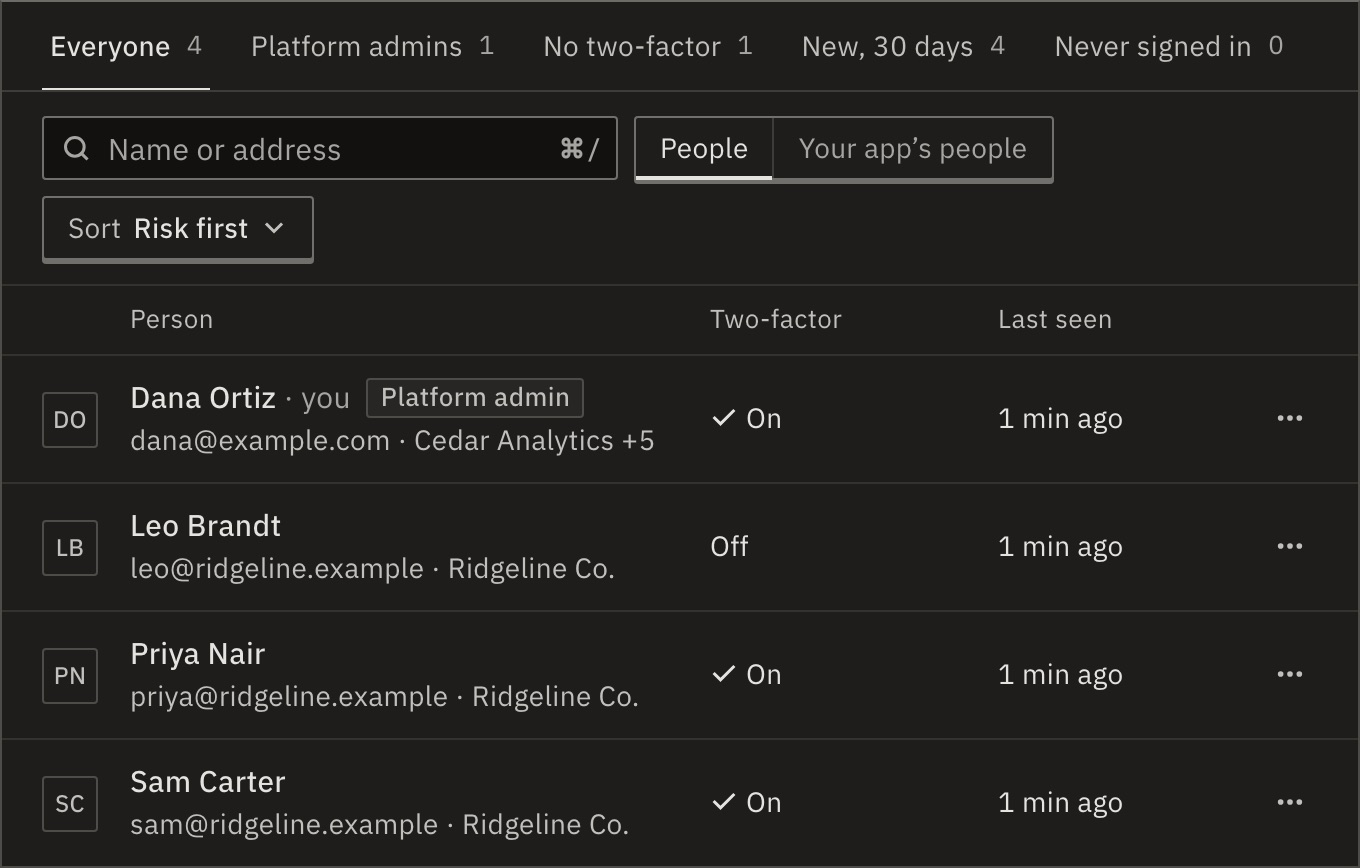
People lists everyone, risk first: a platform admin without two-factor tops the list. The tabs: Everyone, Platform admins, No two-factor, New, 30 days, Never signed in.
In a person’s menu, or on their record:
- Sign out everywhere…
- Ends every session. They can sign in again at once.
- Reset two-factor…
- Their authenticator and recovery codes stop working, and they set it up again at their next sign-in. Do it only once you know it is them asking.
- Clear the lockout
- On the record, under Security, when too many wrong passwords locked them out.
- Organizations they may own
- On the record: Change… sets how many they may own. Their signup organization counts as one.
Make a platform admin
- In the person’s menu, choose Make platform admin….
- Press Make platform admin and type your code.
They see every organization on the installation, and can suspend, limit and visit. Platform opens for them only with two-factor. Keep at least two, so one can reset the other’s two-factor. Remove platform role… undoes it; the last platform admin can’t be removed.
Related
- Visit an organizationSee its work as its people do · 3 min
- The platform audit logEvery act, by whom · 3 min
- Your licenseSeats, workspaces and organizations · 4 min
Checked against 12d85b3b