Quick start
Show GoRunner inside your app, signed in as your customer.
This page needs your own installation with an Embed license.
You need
- An installation with an Embed license
- Licenses come from GoRunner: see Your license. No installation yet: Install with Docker. Without Embed, the partner API answers
403 EMBED_NOT_LICENSED. - An instance-wide platform admin
- With two-factor on. Each change on Partner keys asks for your two-factor code.
- A server
- The one behind your app, where your customers are signed in: Node.js 18, Python 3.7, Go 1.22 or PHP 8.4, or newer. Any language works: it makes one HTTP call.
For the admin half, with every option, see Set up Embed.
1.Make a partner key
- In GoRunner, open Platform › Partner keys and press Make a key….
- Name it, such as
Production backend, press Make the key, and enter your two-factor code. - Press Copy the key and keep it on your server. You won’t see it again.
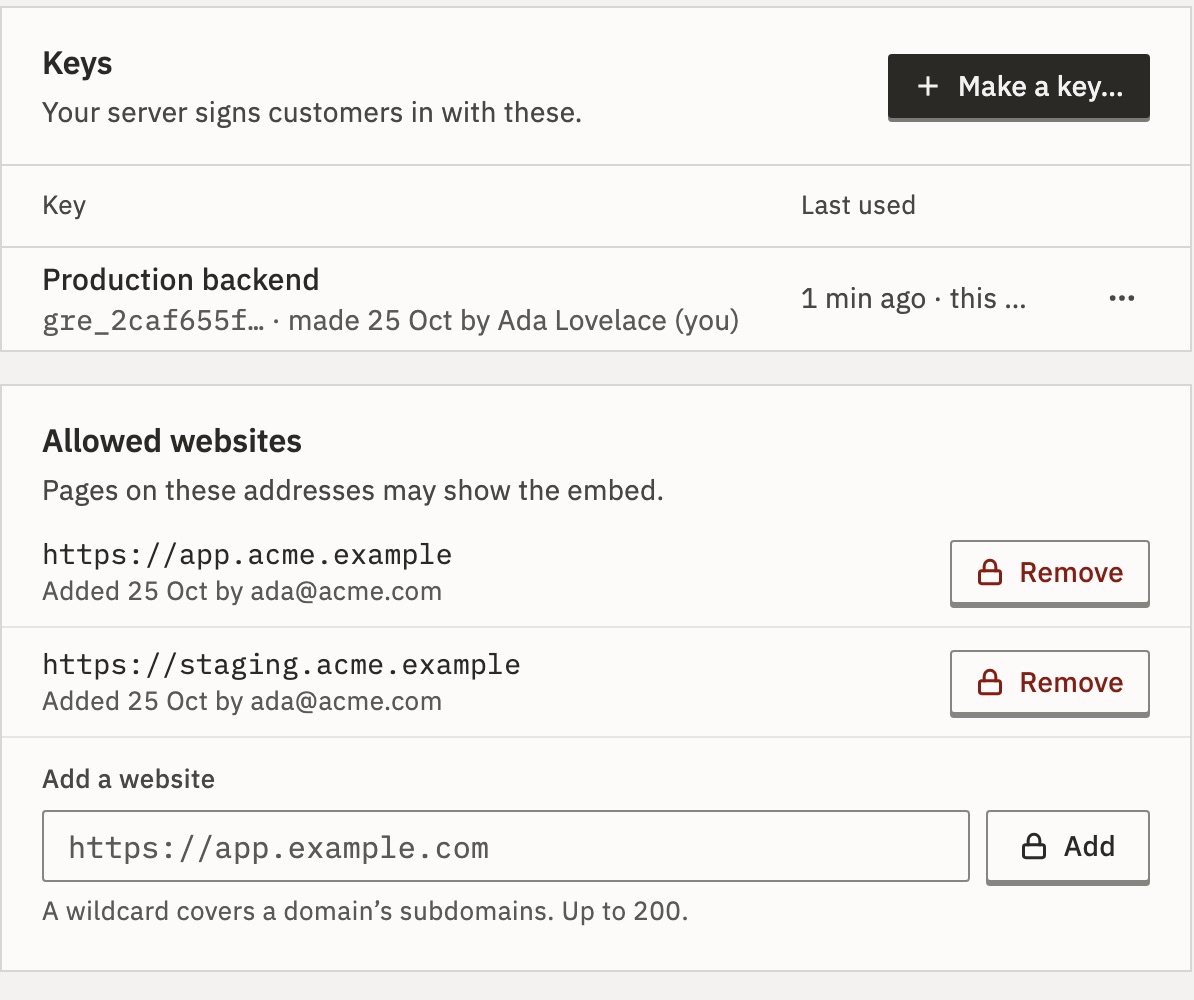
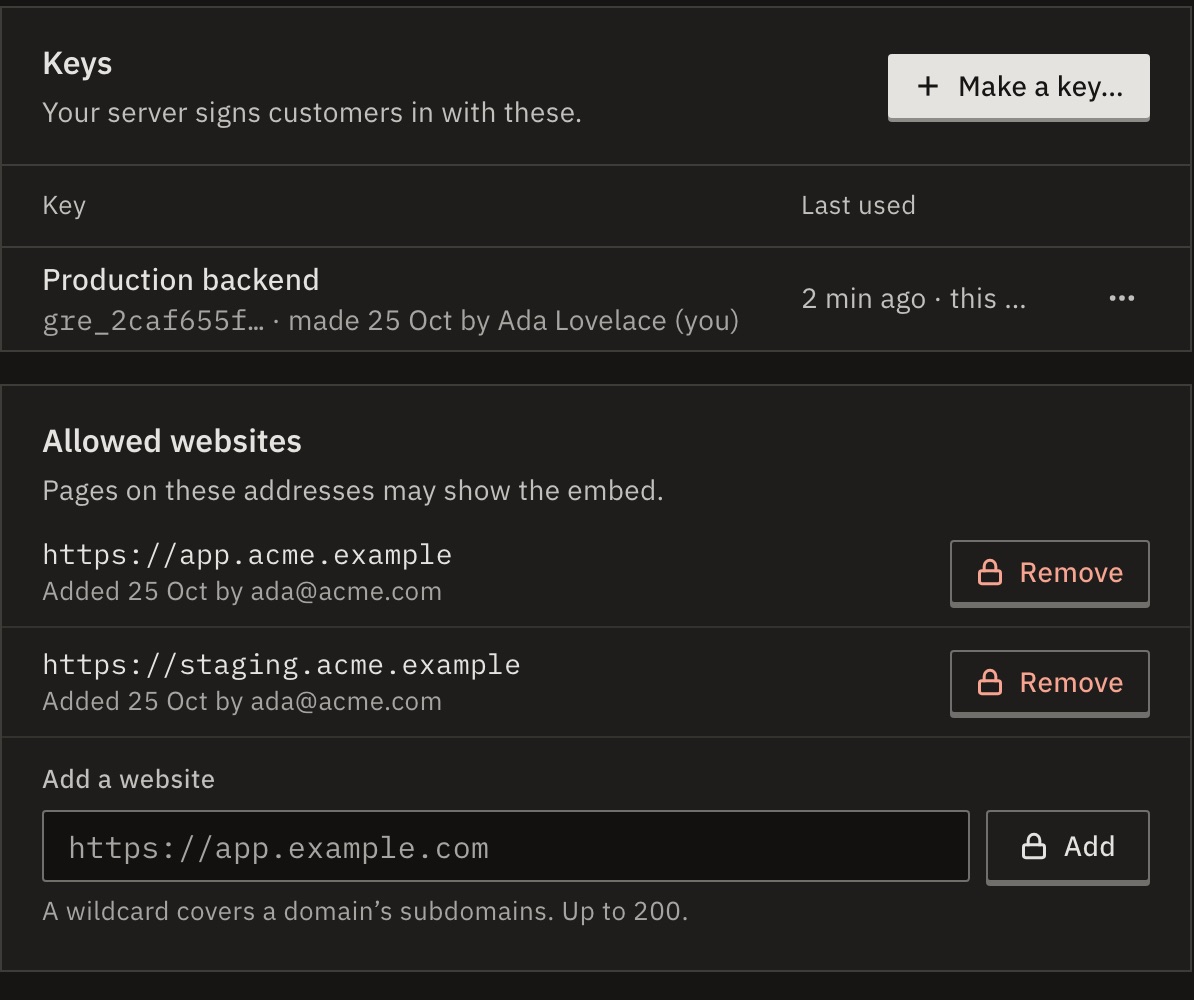
You should see the key in the list, shown by its start: gre_5e0b91c2….
2.Allow your website
- On the same page, under Allowed websites, enter your app’s address, such as
https://app.acme.example. Use the address only, with no path. - Press Add and enter your two-factor code.
The embed opens only on pages of allowed websites.
What if I try it on my own machine?
Plain http works for localhost, 127.0.0.1 and [::1]. Add the address exactly as your browser shows it, such as http://localhost:3000: http://127.0.0.1:3000 is another website.
3.Hand out login codes from your server
Your page never sees the partner key. It asks your server for a login code, and your server asks GoRunner for one, for the person signed in to your app.
// POST /api/gorunner/login-code → {"code": "grl_…"}
import { createServer } from "node:http"

const GORUNNER_URL = process.env.GORUNNER_URL // the installation
const GORUNNER_EMBED_KEY = process.env.GORUNNER_EMBED_KEY // gre_…
const PORT = Number(process.env.PORT || 3000)

// Who is signed in to your app: replace this with your own session
// lookup. Answer null when nobody is signed in.
function signedIn(req) {
  return {
    user: {
      id: "ada-123",
      name: "Ada Lovelace",
      email: "ada.lovelace@example.com",
    },
    account: { id: "acct-bakery", name: "Bakery Ltd" },
    role: "editor", // viewer, operator or editor
  }
}

function send(res, status, body) {
  res.writeHead(status, {
    "Content-Type": "application/json",
    "Cache-Control": "no-store",
  })
  res.end(JSON.stringify(body))
}

createServer(async (req, res) => {
  if (req.method !== "POST" || req.url !== "/api/gorunner/login-code")
    return send(res, 404, { error: "not found" })
  const login = signedIn(req)
  if (!login) return send(res, 401, { error: "sign in first" })
  try {
    const url = `${GORUNNER_URL}/api/embed/v1/login-codes`
    const answer = await fetch(url, {
      method: "POST",
      headers: {
        Authorization: `Bearer ${GORUNNER_EMBED_KEY}`,
        "Content-Type": "application/json",
      },
      body: JSON.stringify(login),
    })
    const body = await answer.json()
    if (answer.status !== 201) {
      console.error("refused:", answer.status, body.error?.code)
      return send(res, 502, { error: "login code refused" })
    }
    send(res, 200, { code: body.data.code })
  } catch (e) {
    console.error("login code failed:", e.message)
    send(res, 502, { error: "login code failed" })
  }
}).listen(PORT)
# POST /api/gorunner/login-code -> {"code": "grl_…"}
import json
import os
import urllib.error
import urllib.request
from http.server import BaseHTTPRequestHandler, ThreadingHTTPServer
GORUNNER_URL = os.environ["GORUNNER_URL"] # the installation
GORUNNER_EMBED_KEY = os.environ["GORUNNER_EMBED_KEY"] # gre_…
PORT = int(os.environ.get("PORT", "3000"))
# Who is signed in to your app: replace this with your own session
# lookup. Answer None when nobody is signed in.
def signed_in(request):
return {
"user": {
"id": "ada-123",
"name": "Ada Lovelace",
"email": "ada.lovelace@example.com",
},
"account": {"id": "acct-bakery", "name": "Bakery Ltd"},
"role": "editor", # viewer, operator or editor
}
class LoginCode(BaseHTTPRequestHandler):
def send(self, status, body):
data = json.dumps(body).encode()
self.send_response(status)
self.send_header("Content-Type", "application/json")
self.send_header("Cache-Control", "no-store")
self.send_header("Content-Length", str(len(data)))
self.end_headers()
self.wfile.write(data)
def do_POST(self):
if self.path != "/api/gorunner/login-code":
return self.send(404, {"error": "not found"})
login = signed_in(self)
if login is None:
return self.send(401, {"error": "sign in first"})
request = urllib.request.Request(
GORUNNER_URL + "/api/embed/v1/login-codes",
data=json.dumps(login).encode(),
headers={
"Authorization": "Bearer " + GORUNNER_EMBED_KEY,
"Content-Type": "application/json",
},
method="POST",
)
try:
with urllib.request.urlopen(request, timeout=10) as answer:
code = json.load(answer)["data"]["code"]
except urllib.error.HTTPError as refused:
body = refused.read().decode(errors="replace")
print("login code refused:", refused.code, body)
return self.send(502, {"error": "login code refused"})
except (OSError, ValueError, KeyError) as failed:
print("login code failed:", failed)
return self.send(502, {"error": "login code failed"})
self.send(200, {"code": code})
ThreadingHTTPServer(("", PORT), LoginCode).serve_forever()// POST /api/gorunner/login-code → {"code": "grl_…"}
package main
import (
"bytes"
"encoding/json"
"log/slog"
"net/http"
"os"
"time"
)
var (
gorunnerURL = os.Getenv("GORUNNER_URL") // the installation
embedKey = os.Getenv("GORUNNER_EMBED_KEY") // gre_…
)
type login struct {
User user `json:"user"`
Account account `json:"account"`
Role string `json:"role"` // viewer, operator or editor
}
type user struct {
ID string `json:"id"`
Name string `json:"name"`
Email string `json:"email,omitempty"`
}
type account struct {
ID string `json:"id"`
Name string `json:"name"`
}
// Who is signed in to your app: replace this with your own session
// lookup. Answer nil when nobody is signed in.
func signedIn(r *http.Request) *login {
return &login{
User: user{
ID: "ada-123",
Name: "Ada Lovelace",
Email: "ada.lovelace@example.com",
},
Account: account{ID: "acct-bakery", Name: "Bakery Ltd"},
Role: "editor",
}
}
var client = &http.Client{Timeout: 10 * time.Second}
type msg = map[string]string
func send(w http.ResponseWriter, status int, body msg) {
w.Header().Set("Content-Type", "application/json")
w.Header().Set("Cache-Control", "no-store")
w.WriteHeader(status)
json.NewEncoder(w).Encode(body)
}
func loginCode(w http.ResponseWriter, r *http.Request) {
who := signedIn(r)
if who == nil {
send(w, 401, msg{"error": "sign in first"})
return
}
payload, _ := json.Marshal(who)
url := gorunnerURL + "/api/embed/v1/login-codes"
req, _ := http.NewRequestWithContext(r.Context(), "POST", url,
bytes.NewReader(payload))
req.Header.Set("Authorization", "Bearer "+embedKey)
req.Header.Set("Content-Type", "application/json")
answer, err := client.Do(req)
if err != nil {
slog.Error("login code failed", "error", err)
send(w, 502, msg{"error": "login code failed"})
return
}
defer answer.Body.Close()
var body struct {
Data struct{ Code string } `json:"data"`
Error struct{ Code, Message string } `json:"error"`
}
err = json.NewDecoder(answer.Body).Decode(&body)
if err != nil || answer.StatusCode != http.StatusCreated {
slog.Warn("login code refused",
"status", answer.StatusCode, "code", body.Error.Code)
send(w, 502, msg{"error": "login code refused"})
return
}
send(w, 200, msg{"code": body.Data.Code})
}
func main() {
port := os.Getenv("PORT")
if port == "" {
port = "3000"
}
http.HandleFunc("POST /api/gorunner/login-code", loginCode)
if err := http.ListenAndServe(":"+port, nil); err != nil {
slog.Error("server stopped", "error", err)
os.Exit(1)
}
}<?php
// POST /api/gorunner/login-code → {"code": "grl_…"}
$gorunnerUrl = getenv('GORUNNER_URL'); // the installation
$embedKey = getenv('GORUNNER_EMBED_KEY'); // gre_…
// Who is signed in to your app: replace this with your own session
// lookup. Answer null when nobody is signed in.
function signedIn(): ?array
{
return [
'user' => [
'id' => 'ada-123',
'name' => 'Ada Lovelace',
'email' => 'ada.lovelace@example.com',
],
'account' => ['id' => 'acct-bakery', 'name' => 'Bakery Ltd'],
'role' => 'editor', // viewer, operator or editor
];
}
function send(int $status, array $body): void
{
http_response_code($status);
header('Content-Type: application/json');
header('Cache-Control: no-store');
echo json_encode($body);
}
if ($_SERVER['REQUEST_METHOD'] !== 'POST'
|| $_SERVER['REQUEST_URI'] !== '/api/gorunner/login-code') {
send(404, ['error' => 'not found']);
return;
}
$login = signedIn();
if ($login === null) {
send(401, ['error' => 'sign in first']);
return;
}
$context = stream_context_create(['http' => [
'method' => 'POST',
'header' => "Authorization: Bearer $embedKey\r\n"
. "Content-Type: application/json\r\n",
'content' => json_encode($login),
'ignore_errors' => true,
'timeout' => 10,
]]);
$url = $gorunnerUrl . '/api/embed/v1/login-codes';
$answer = @file_get_contents($url, false, $context);
// The answer's status line: http_get_last_response_headers() from PHP 8.4
// (8.5 deprecates $http_response_header), the variable before it.
$headers = function_exists('http_get_last_response_headers')
? http_get_last_response_headers()
: ($http_response_header ?? []);
$status = isset($headers[0]) ? (int) explode(' ', $headers[0])[1] : 0;
$body = json_decode($answer ?: 'null', true);
if ($status !== 201 || !isset($body['data']['code'])) {
$error = $body['error']['code'] ?? '';
error_log("login code refused: $status $error");
send(502, ['error' => 'login code refused']);
return;
}
send(200, ['code' => $body['data']['code']]);Replace signedIn() with your own session lookup. Send each person’s real role: editor builds and publishes, operator runs, viewer looks. A later code with another role changes it. Make a code only for an account the person belongs to.
Then start it with your installation’s address and your key (gre_…). Until signedIn() reads your real session, it hands an editor’s code to anyone who reaches it: run it where only you can.
GORUNNER_URL=https://automations.example.com \
GORUNNER_EMBED_KEY=YOUR_PARTNER_KEY \
node server.mjsGORUNNER_URL=https://automations.example.com \
GORUNNER_EMBED_KEY=YOUR_PARTNER_KEY \
python3 server.pyGORUNNER_URL=https://automations.example.com \
GORUNNER_EMBED_KEY=YOUR_PARTNER_KEY \
go run main.goGORUNNER_URL=https://automations.example.com \
GORUNNER_EMBED_KEY=YOUR_PARTNER_KEY \
php -S localhost:3000 index.phpYou should see curl -X POST localhost:3000/api/gorunner/login-code answers {"code":"grl_…"}. A code works once, within 60 seconds.
4.Add the embed to your page
The script comes from your installation. getCode runs when the embed opens, and again whenever it needs a new session.
<!doctype html>
<html lang="en">
  <head>
    <meta charset="utf-8" />
    <meta name="viewport" content="width=device-width, initial-scale=1" />
    <title>Automations</title>
  </head>
  <body>
    <main>
      <h1>Automations</h1>
      <!-- The embed fills this element, so give it a height. -->
      <div id="automations" style="height: 720px"></div>
    </main>
    <script src="https://automations.example.com/embed.js"></script>
    <script>
      GoRunnerEmbed.mount({
        container: "#automations",
        // Called at mount, and whenever the embed needs a new session.
        getCode: async () => {
          const answer = await fetch("/api/gorunner/login-code", {
            method: "POST",
          })
          if (!answer.ok) throw new Error(`login code: ${answer.status}`)
          return (await answer.json()).code
        },
      }).catch((error) => {
        console.error("The automations could not open:", error.code)
      })
    </script>
  </body>
</html>
The element needs a height: the embed fills it.
Serve the page from the same website as your login-code route: getCode asks /api/gorunner/login-code on the page’s own address. The example servers answer only that route, so add one that answers GET / with this page.
5.Open your page
Open the page in your app, signed in as a customer.
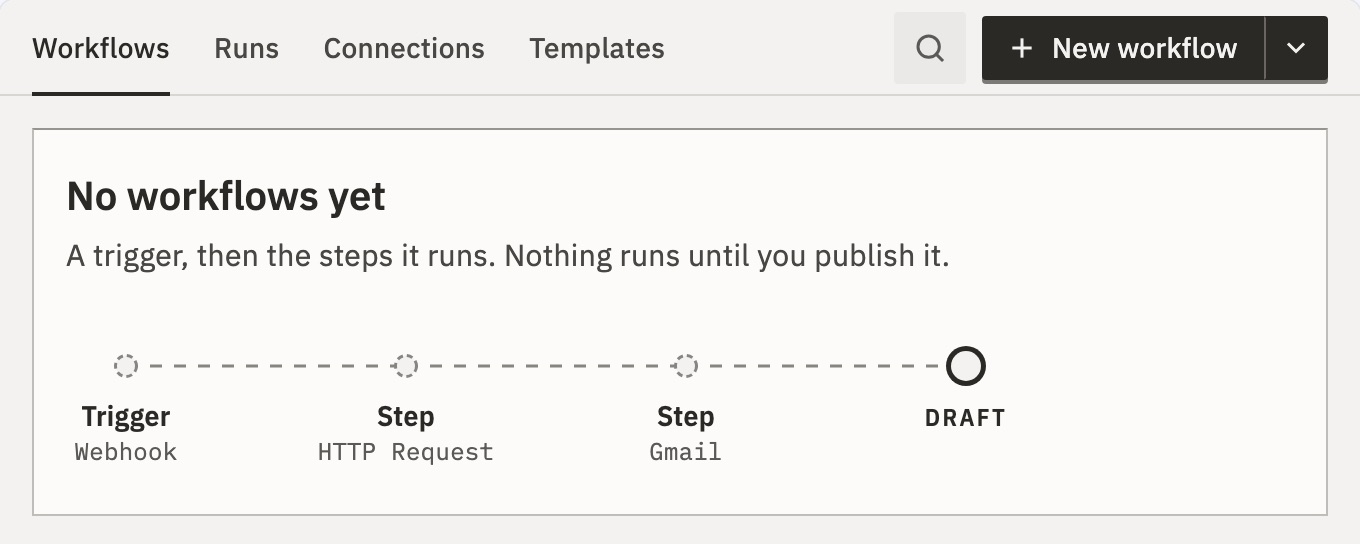
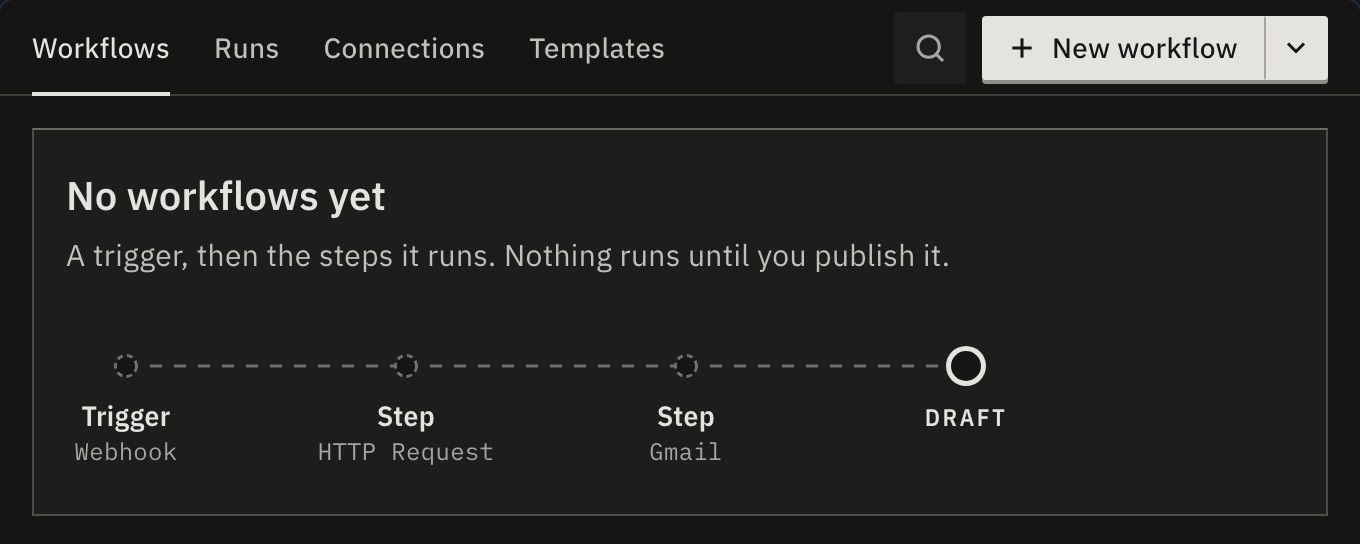
You should see GoRunner in your page, open on Workflows, in the customer’s own account.
6.Make the customer’s first workflow
- In the embed, open Connections and add a connection to an app that takes an API key.
- Open Workflows and press New workflow.
Gmail and the other Google apps need your Google OAuth app first: see Show your name on the sign-in.
To give every customer the same ready-made workflows from your server, use Templates for customers.
Next
- Login codes and sessionsWhat happens between your page, your server and GoRunner
- SDKEvery option, method and event of mount()
- SecurityYour checklist before going live
Checked against 12d85b3b