Appearance and branding
Make the embed look and read like your product: a preset, your colors and type, and your words.
This page needs your own installation with an Embed license.
Your installation has one look and one set of names, in Platform › Branding. They apply everywhere: the embed, your staff’s dashboard, sign-in, the Platform, emails, and public pages such as approvals and hosted forms. Branding is part of the Embed license: without it every surface shows the defaults, and your saved branding comes back with the license. An installation paused because its license ended keeps that license’s branding on its paused page, public pages and emails.
The look is named settings, never raw CSS or JavaScript. Each is checked, and each page applies it before it first paints.
Start from a preset
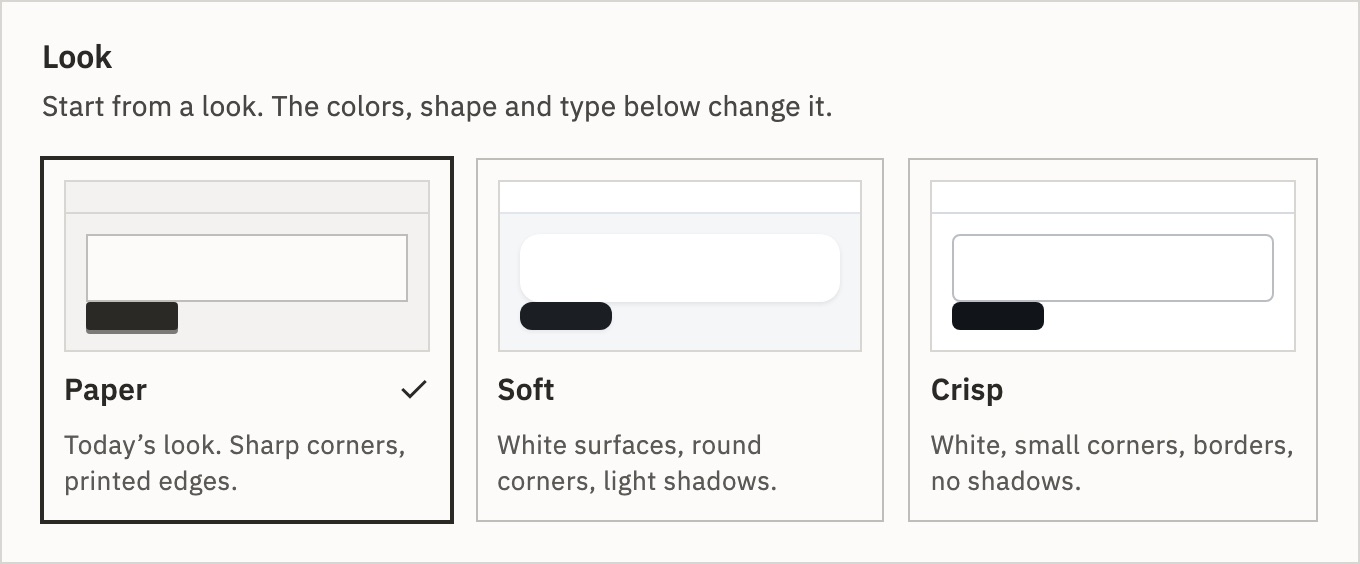
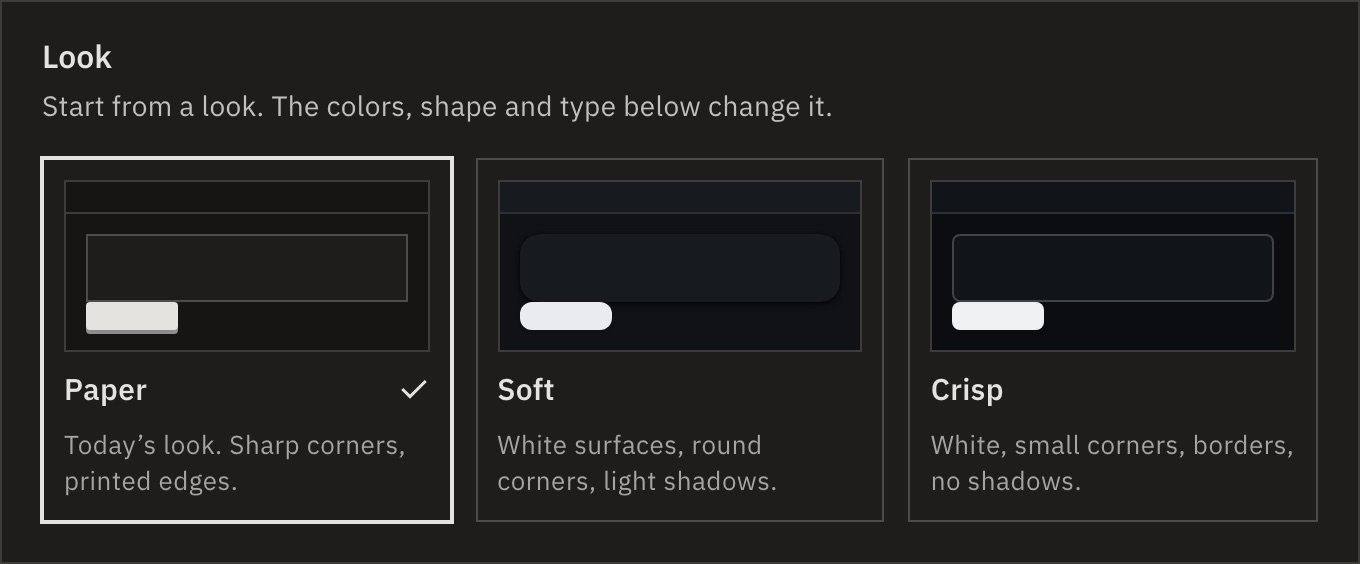
- Paper
- GoRunner’s own, and the default: sharp corners, printed edges.
- Soft
- White surfaces, round corners, light shadows.
- Crisp
- White, small corners, borders, no shadows.
Every other setting is optional: what you leave alone is the preset’s.
Set it in Branding
- Open Platform › Branding and pick a preset under Look.
- Change what you need, section by section. The preview beside the form has Dashboard, Embed, Email and Public page tabs.
- Press Save and enter your two-factor code. Others see it on their next page load.
- Colors
- Ten roles, such as brand, page, text and link, each light and dark, as
#rrggbb. A dark value left empty is worked out from the light one. Run colors (worked, failed, held, running) never change. - Shape and depth
- Corners for controls, cards and dialogs, 0 to 20 px. Shadows: print, none, subtle or raised. Card edges on or off.
- Type
- Body and heading fonts: IBM Plex, System, Upload (up to eight WOFF2, WOFF, TTF or OTF files) or From a website (a font file on one of your allowed websites). The heading can also be Same as body. Size 13 to 16 px, heading weight 500, 560, 600 or 700, and table heads in upper or normal case.
- Density
- Comfortable or compact, on every screen.
- Canvas background
- Dots, grid or plain, behind the builder’s steps.
- Inside the embed
- Space around the embed (0, 8, 12, 16, 24 or 32 px), the Page heading row, and Light or dark: Follow the page, Light or Dark. Only Follow the page lets your page’s
themeapply.
A color that would leave text too faint is moved just enough, and a flag says so. Emails and public pages always use the light values. Export, Import… and Reset… are at the end of the page.
Names and words
- Product name
- Replaces GoRunner everywhere. Up to 40 characters.
- Company name
- Customers read it in “Managed by …” on connections you manage and “From …” on your templates. Up to 60 characters. Empty: “Managed by your administrator”, and a template names the organization that shared it.
- Assistant name
- Replaces Keel, also in what the assistant calls itself.
- Logos and icons
- Logos for light and dark backgrounds, an app icon (a square PNG of at least 512 px), an SVG icon, a favicon, an email logo and an assistant icon. An SVG that could run code is refused. Tick The logo already includes the name when it does; otherwise the product name is written beside it.
- Words
- Your names for workflow, run, connection and template: one, many, and “a” or “an”, with Always capital for a proper name. Letters, numbers, spaces, hyphens, apostrophes and full stops, up to 32. The embed’s screens use them.
- Links
- Help, terms, privacy and support: GoRunner’s, hidden, or your own. GoRunner’s are hidden once anything is branded. In the embed a link shows only when it is your own. Support is also “Contact support” on a paused account and in email footers.
A few names stay GoRunner’s, because developers type them and customers never read them: GoRunnerEmbed, /api/embed/v1, X-GoRunner-* headers, and the gre_, grl_ and gri_ prefixes.
Emails and public pages
- Emails
- Your sender name and address, and footer. A new sender address saves only after Send a test to me reached it, within 30 minutes of the test.
- Public pages
- Approvals and sign-in pages carry your logo and colors. A hosted form’s logo is off by default: the form is the customer’s.
- Outgoing requests
- The User-Agent your customers’ steps send to other services can be your own.
A look for one embed
Your page can lay a look over this one for one embed, with the same settings by their keys, or propose one from its own styles. See SDK › A look for one embed.
Flags
What the installation changed so text stays readable, or a mix worth a second look. A flag is information, never an error. Each can carry role, theme, from, to, ratio and against.
ground_adjusted- A page or surface color was moved so the run colors read on it.
contrast_corrected- A text, link, focus or label color was moved to read against what it sits on.
brand_adjusted_for_label- The brand was moved so its key’s label reads.
dark_derived- A dark value was worked out from your light one.
frameless_cards- Cards have no edge, no shadow and nearly the page’s color.
low_brand_presence- The brand is close to the page color, so the main key barely stands out.
font_origin_not_allowed- A font file isn’t where it may load from, so it isn’t loaded.
font_unavailable- A font didn’t arrive within 1.5 seconds, so pages started with the fallback.
If a font doesn’t load, see Troubleshooting.
Related
- What customers seeThe pages your look applies to
- SDKappearance, setAppearance and matchHost
- Platform screensThe Branding page, part by part
Checked against 12d85b3b