PostgreSQL
Read and change rows in a PostgreSQL database with SQL.
Connect PostgreSQL
- In the sidebar, open Connections and press Add connection.
- Type
postgresand choose PostgreSQL. - Fill in Server, Database and User, and Password if the login has one.
- Press Test and save. GoRunner connects once to check it before it saves anything.
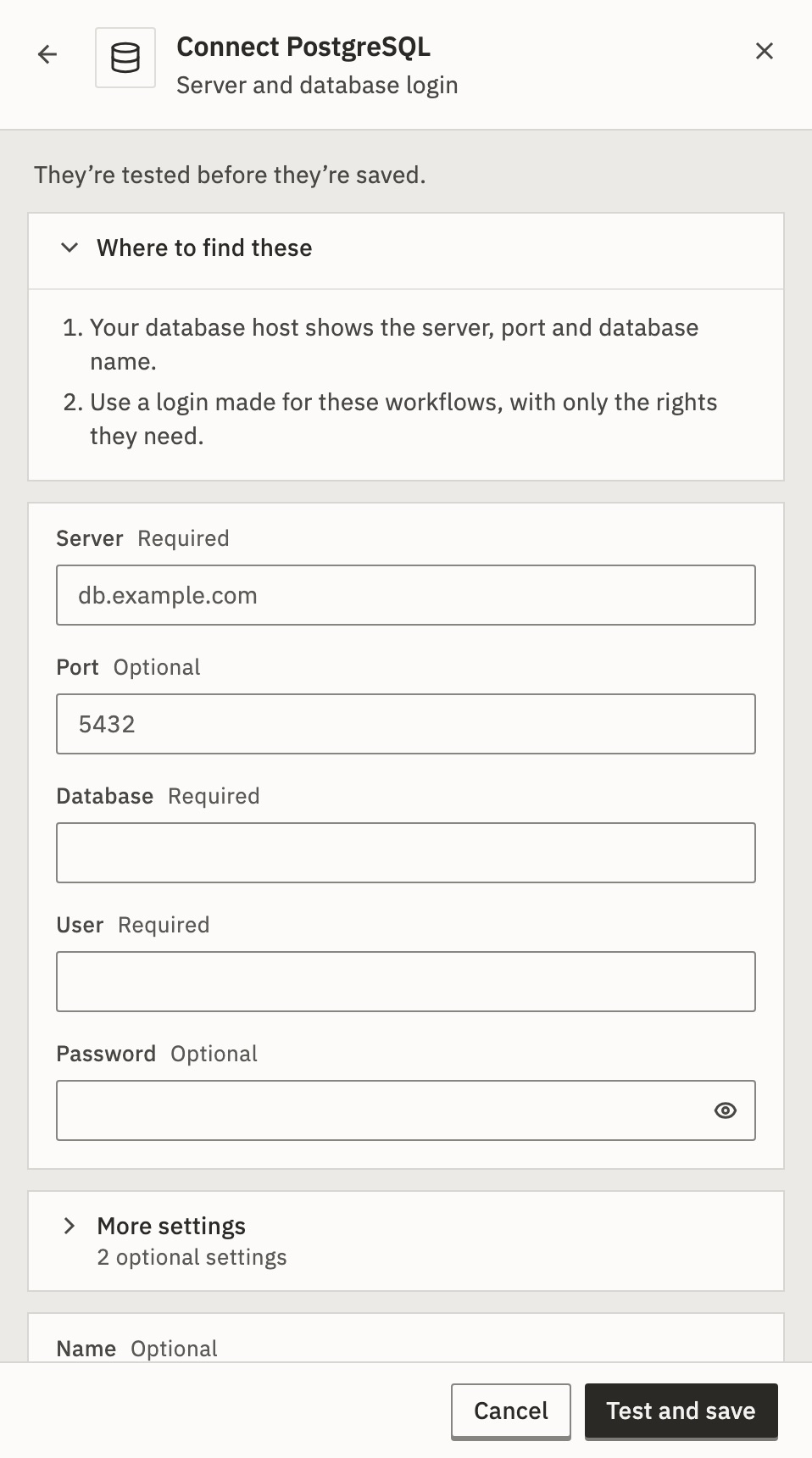
Have a connection string instead, like postgres://user:pass@host:5432/db? Open More settings and paste it into Connection string. The fields above are then ignored.
Connections says how to sign in again, rename or delete it. In a product that embeds GoRunner, Add connection can be missing: then your provider makes connections for you.
Do things in PostgreSQL
Add a PostgreSQL step. Choose the row to see all its fields.
Write the SQL in Query, with $1, $2 where values go. Put the values in Parameters, never into the SQL text. A value pasted into the SQL can end your statement and start another one.
To start a workflow from PostgreSQL, use a Schedule, Webhook or Form trigger.
Later steps read a step’s output by its name: see Use data from earlier steps.
Example
Find the paid orders of the customer who sent a form. Set Query to:
SELECT id, total FROM orders WHERE email = $1 AND status = $2Set Parameters to:
["{{trigger.body.email}}", "paid"]A later step reads the rows as rows, and their number as rowCount.
Limits
- A query that returns more than 50,000 rows fails the step. Add a
LIMITto read a page at a time. - A query stops after the step’s Timeout (under Error handling): 30 seconds unless you change it, up to 600.
- GoRunner Cloud reaches databases on the public internet only. On a self-hosted installation, an admin can allow private addresses with
WORKFLOW_PRIVATE_NETWORKS.
Not in your list? See When an app isn’t here.
For developers
In the API, which calls apps pieces, PostgreSQL is pieceId: "postgres" with actionId: "execute_query". Get an app returns every field.
It can change something outside the run (writes_external). See How versions and side effects work.
PostgreSQL › Execute Query
Run a SQL query/command with parameterized $1,$2 placeholders.
- Query · Required
SQL using $1, $2 … placeholders for values. Put every value in Parameters rather than building it into the text: a query with no parameters is sent as plain text and may contain several statements, so a value pasted straight into the SQL can end the statement and start another one.
- Parameters · Optional
JSON array of values bound to $1, $2 … in order, such as ["active", 10].